
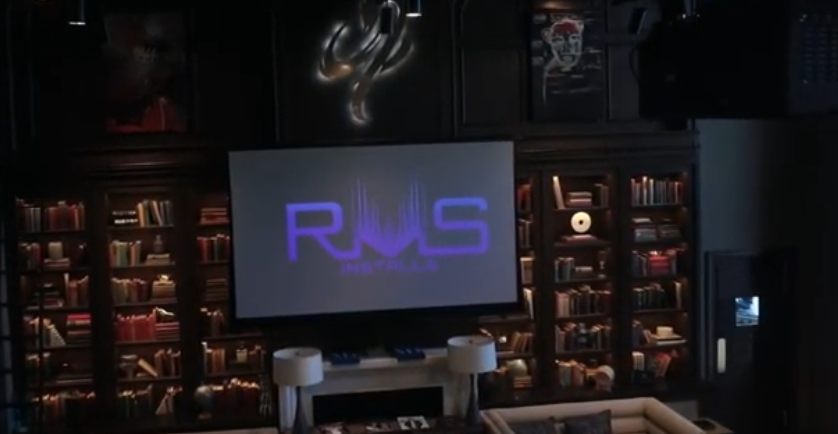
Home Theater Projectors: Pros, Cons, Costs, and Everything You Need to Know
Table of Contents
- Introduction
- Key Advantages of Home Theater Projectors
- Key Disadvantages of Home Theater Projectors
- Cost Breakdown: What to Expect in 2026
- Performance: Projectors vs. TVs
- Installation Requirements
- Long-Term Ownership and Maintenance
- Who Should (and Should Not) Get a Projector?
- Additional Tips and Considerations
- Conclusion
- FAQs
Introduction
A home theater projector delivers a cinematic experience that flat-panel TVs simply cannot replicate at the same price. Screens of 100 inches and beyond are achievable, and the immersive picture quality in a properly set up room feels genuinely like a commercial theater.
That said, a home theater projector is not the right fit for every home. It requires careful planning around room lighting, installation, and ongoing costs. This guide breaks down everything a buyer needs to know before making a decision.
Key Advantages of Home Theater Projectors
Screen size and value
Projectors can produce images from 100 to 300-plus inches. At those sizes, the cost per inch is significantly lower than buying an equivalent large-screen TV. An entry-level 4K laser projector setup, including a 100-inch screen and basic installation, typically runs $3,500 to $6,000. A comparable 95-inch TV costs $6,000 or more before you even factor in mounting.
Immersive picture in dark rooms
In a properly darkened room, projectors use reflected light rather than direct light, which many viewers find easier on the eyes during long sessions. The image feels closer to what you experience in a real theater.
Flexibility in placement
Unlike a large TV that is fixed to a wall, a projector can be ceiling-mounted, placed on a shelf, or even moved outdoors for movie nights. This makes them more versatile than people often assume.
Modern features
Current laser models support 4K resolution, HDR, Dolby Vision, and 4K/120Hz gaming with sub-20ms input lag. They also integrate with smart home systems for automated scene control, such as one-touch "movie night" setups.
Key Disadvantages of Home Theater Projectors
Ambient light is a serious problem
Any light in the room, from windows, lamps, or overhead fixtures, washes out the projected image quickly. Without blackout shades or a fully dedicated dark room, picture quality suffers noticeably. This makes projectors a poor fit for bright, multipurpose living rooms.
Installation is not simple
Getting a projector set up correctly involves ceiling mounting, in-wall wiring, throw distance calculations, and image calibration. This is not a weekend DIY project for most homeowners. Professional installation adds $1,600 to $2,200 to the total cost, and calibration alone can run $300 to $800.
Fan noise
All projectors use cooling fans. Depending on where you sit relative to the unit, fan noise can be noticeable and distracting during quiet scenes.
Extra equipment is usually necessary
Built-in speakers on projectors are generally weak. A soundbar or full surround sound system is almost always needed. A quality projection screen, especially an ambient light rejecting (ALR) screen, also adds cost, typically $800 to $4,000 depending on size and type.
Warm-up time
Unlike a TV that turns on instantly, some projectors require a brief warm-up period before the image is ready. Laser models have largely reduced this issue, but it is worth noting for casual use.
Cost Breakdown: What to Expect in 2026
|
Item |
Typical Cost (2026) |
Notes |
|
Entry setup |
$3,500 – $6,000 |
4K laser, 100" screen, basic install |
|
Premium setup |
$8,000 – $15,000 |
120" screen, full calibration |
|
Installation labor |
$1,600 – $2,200 |
Wiring, mount, alignment |
|
Calibration |
$300 – $800 |
Recommended for best performance |
|
Screen |
$800 – $4,000 |
Fixed or motorized, ALR options |
|
Maintenance (laser) |
$0 – $100/year |
Minimal upkeep |
|
Maintenance (lamp) |
$100 – $350 every 4–5 years |
Bulb replacement cost |
|
Comparable 85" TV |
$2,500 – $5,000 + $300 mount |
Better for bright rooms |
The projector becomes the more cost-effective option once screen size exceeds 100 inches. Below that, a high-quality TV is often the simpler and cheaper choice.
Performance: Projectors vs. TVs
|
Factor |
Projector |
TV |
|
Screen size |
100"–300"+ |
Practical max around 85"–98" |
|
Bright room performance |
Poor without shades |
Excellent (1,000–4,000 nits) |
|
Dark room picture |
Excellent contrast, deep blacks |
Very good |
|
Color accuracy |
100% DCI-P3 (laser, calibrated) |
Good out of the box |
|
Gaming lag |
Sub-20ms (4K/120Hz capable) |
Similar on high-end models |
|
Viewing angles |
Narrower sweet spot |
Wide angle, consistent |
|
Fan noise |
Present |
None |
|
Setup effort |
High |
Low |
TVs outperform projectors in bright spaces and offer zero setup complexity. Projectors outperform TVs when screen size and cinema-like immersion are the priority and the room can be controlled for light.
Installation Requirements
A successful home theater projector installation depends on several physical factors:
- Ceiling height: At least 9 feet is recommended
- Throw distance: Most setups require 12 or more feet between projector and screen
- Room dimensions: A dedicated room of at least 12 by 16 feet is ideal
- Wiring: In-wall HDMI and power runs are standard in professional installs
- Screen placement: Fixed or motorized screens need proper wall or ceiling anchoring
Get a professional projector and home theater installation
DIY installation is possible but risky. Misalignment, improper mounting, and wiring mistakes are common without experience. A professional install typically costs $1,200 to $4,000 total, including screen and projector setup.
Long-Term Ownership and Maintenance
Laser vs. lamp projectors
Laser projectors last 20,000-plus hours, which translates to roughly 10 to 15 years of regular use without bulb replacement. Older lamp-based models use UHP bulbs that dim over time and need replacement every 1,000 to 5,000 hours, costing $100 to $350 per bulb.
Calibration
Even after initial setup, periodic recalibration keeps colors and contrast at peak performance. This is especially important after bulb changes or after the unit has been moved.
Energy use and warranties
Projectors generally consume less energy than large TVs. Warranty coverage is typically 3 to 5 years for projectors versus 1 to 3 years for TVs. TVs usually require full replacement every 5 to 7 years to keep up with technology changes, while a well-maintained laser projector can remain competitive much longer.
Who Should (and Should Not) Get a Projector?
Good fit:
- Dedicated home theater rooms with controlled lighting
- Homeowners who prioritize large screen size over convenience
- Movie enthusiasts, gamers with a proper setup space, and sports viewers with a dark room
- Those who want to pair the system with a full surround sound setup
Not a good fit:
- Bright multipurpose living rooms
- Renters or those who move frequently
- Anyone wanting a simple, low-maintenance setup
- Homes without the ceiling height or throw distance required
For more details on home theaters, projectors, and installation head to our detailed blog section on Home Theater Installation.
Additional Tips and Considerations
- If you cannot fully darken your room, choose a projector rated at 1,500 lumens or higher. For bright rooms with no blackout option, aim for 3,000-plus lumens.
- For high-quality large images, 4K resolution is recommended. A 1080p projector is adequate for smaller, budget-conscious setups.
- An ambient light rejecting screen makes a meaningful difference if some light enters the room, though it adds cost.
- Pair any projector with a dedicated audio system. The built-in speakers are not sufficient for a true home theater experience.
- Always have throw distance verified before purchasing. Buying a projector that does not fit your room layout is a common and costly mistake.
Read: A complete guide to planning your home theater setup
Conclusion
A home theater projector offers screen sizes and cinema-level immersion that no TV can match at the same price for 100-plus inch displays. The trade-offs, including light sensitivity, installation complexity, and added equipment costs, are real and need to be weighed honestly against your space and lifestyle.
Not sure what you need or where to begin? RMS Installs walks you through the entire process and handles all the work so you end up with a setup that looks and works great. Give us a call at (470) 456-3108.
FAQs
What are the disadvantages of a home theater projector?
The main drawbacks are sensitivity to ambient light, complex and costly installation, fan noise, weak built-in speakers, and the need for a separate quality screen. Lamp-based models also require periodic bulb replacement. These factors make projectors less practical for bright or casual-use spaces.
How long does a home theater projector last?
Laser projectors typically last 20,000-plus hours, or around 10 to 15 years with regular use. Lamp-based projectors use bulbs that last 1,000 to 5,000 hours before needing replacement. Overall unit lifespan with proper care and periodic calibration can extend well beyond a decade.
Do I need a special screen for a home theater projector?
Not always, but a quality screen improves the picture considerably. Ambient light rejecting screens are especially useful if the room gets any natural or artificial light. A white painted wall can work in a pinch, but a dedicated screen produces noticeably better contrast and color accuracy.
How much does it cost to set up a home theater projector?
An entry-level 4K laser setup with a 100-inch screen and basic installation runs roughly $3,500 to $6,000. Premium setups with larger screens and full calibration range from $8,000 to $15,000. Professional installation labor alone typically adds $1,600 to $2,200.
Can I use a projector for gaming?
Yes. Modern laser projectors support 4K at 120Hz with input lag under 20ms, which is suitable for fast-paced gaming. The experience is excellent in a dark room, though a dedicated gaming monitor or TV is still better for competitive play in bright environments.
Is a projector better than a large TV?
It depends on your room and priorities. For screen sizes over 100 inches, a projector delivers more value and immersion. For bright rooms, casual viewing, or spaces where setup complexity is a concern, a large TV is the more practical option.
Certified partners






Click Here to Fill The Form Online or Call us at:

Business Hours
| Monday | 08:00 AM - 06:00 PM |
| Tuesday | 08:00 AM - 06:00 PM |
| Wednesday | 08:00 AM - 06:00 PM |
| Thursday | 08:00 AM - 06:00 PM |
| Friday | 08:00 AM - 06:00 PM |
| Saturday | 10:00 AM - 05:00 PM |
| Sunday | (Closed) |