
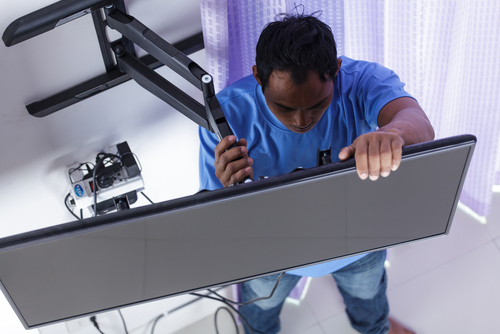
What Do You Need To Keep In Mind While Mounting Your TV To The Wall ?
Table of Contents
- Introduction
- TV and Mount Compatibility
- Wall Preparation and Stud Location
- Optimal Positioning and Viewing Comfort
- Tools and Equipment You Will Need
- Installation Overview and Safety Checks
- Cable Management and Clean Setup
- Common Mistakes to Avoid
- Pros & Cons
- Additional Tips
- Conclusion
- FAQs
Introduction
Mounting a TV on the wall can improve your room’s look while creating a more comfortable viewing experience. However, proper planning and careful setup are essential to ensure safety, stability, and long-term performance.
A secure installation depends on matching the mount to your TV, locating wall studs correctly, and positioning the screen at the right height. When done correctly, a wall-mounted TV can last for many years without issues.
TV and Mount Compatibility
Before installing anything, make sure the wall mount supports your TV’s exact size and weight. Most modern TVs weigh between 55 and 85 pounds, and mounts are rated to handle specific weight limits.
You must also confirm the VESA pattern on the back of your TV, which refers to the four mounting holes. Common VESA sizes include 200x200 mm, 400x400 mm, and 600x400 mm, and the mount must match these measurements exactly.
Always use the screws provided by the manufacturer, usually ranging from M4 to M8 sizes with washers included. Tightening beyond the recommended torque can strip threads or damage the TV casing permanently.
There are three main mount types to consider:
- Fixed mounts for a slim and simple appearance
- Tilt mounts for reducing glare and improving viewing angles
- Full motion mounts for flexible positioning in different seating areas
Choosing the correct type depends on your room layout and how often you plan to adjust the screen.
Wall Preparation and Stud Location
The most important rule is never mount a heavy TV directly onto drywall alone. Drywall cannot support the weight safely and may lead to serious accidents.
Use an electronic stud finder to locate wooden studs behind the wall, which are typically spaced 16 or 24 inches apart. Lag bolts measuring about 1/4 inch by 2.5 to 3 inches should secure the bracket into at least two studs.
If installing on concrete or brick, use masonry anchors such as sleeve anchors rated for at least five times the TV’s weight. For plaster walls, toggle bolts may be required for additional support.
Before drilling, scan the wall with a multi-scanner to detect hidden electrical wires or plumbing pipes. This simple step prevents costly damage and serious safety hazards.
Also Read: The Ultimate Guide to Seamless TV Installation: Tips and Tricks for a Flawless Setup
Optimal Positioning and Viewing Comfort
For comfortable viewing, position the center of the TV screen at eye level when seated. In most homes, this falls between 40 and 48 inches from the floor to the center of the screen.
Mounting too high can cause neck strain over time, especially during long viewing sessions. If you must install it slightly higher, a tilt mount can angle the screen downward by 10 to 15 degrees for better comfort.
Viewing distance also matters for picture clarity and eye comfort. For example, a 65-inch TV typically looks best from 8 to 10 feet away, while smaller screens require shorter distances.
Ensure there is at least 2 to 4 inches of clearance behind the TV for proper airflow. Adequate ventilation prevents overheating and extends the lifespan of internal components.
Avoid placing the TV where direct sunlight hits the screen, as glare can reduce picture quality significantly.
Tools and Equipment You Will Need
Having the right tools makes the installation smoother and safer. Essential tools include:
- Stud finder
- Bubble or laser level
- Measuring tape
- Drill with 3/16 to 7/32 inch bits
- Socket wrench or ratchet
- Pencil for marking
- Vacuum for dust cleanup
- Adjustable clutch drill
- A helper for lifting
An adjustable clutch drill helps prevent over tightening, which can damage screws or strip mounting holes.
Selected For You: The Guide to Mounting Your TV: Tools, Tips, and Techniques
Installation Overview and Safety Checks
Begin by attaching the mounting brackets to the back of the TV using the provided screws. Protect the screen with padding while working to avoid scratches or cracks.
Mark the stud centers and desired height carefully before drilling pilot holes about 1 to 2 inches deep. Always use a level to ensure the wall plate is perfectly horizontal before securing it.
Secure the wall plate with lag bolts, tightening evenly to around 20 to 30 foot pounds of torque. Applying threadlocker can improve resistance to vibration over time.
Hook the TV onto the wall plate carefully, usually placing the top hooks first before securing the bottom. Tighten safety screws firmly, then perform a gentle pull test to confirm stability.
Double check levelness in multiple directions to avoid uneven stress that could loosen bolts later.
Cable Management and Clean Setup
Messy cables can ruin the clean appearance of a mounted TV. Planning cable management before installation saves time and effort later.
You can use wall cable management kits to hide HDMI and power cords behind the wall. Make sure any in wall solutions follow local code requirements for low voltage wiring.
If running cables externally, secure them neatly along edges using zip ties or protective covers. Avoid pinching wires during mounting because this can cause signal problems or fire risks.
Connect all cables before fully securing the TV onto the bracket to prevent removing it again.
Common Mistakes to Avoid
Several common mistakes can lead to expensive repairs or accidents:
- Skipping studs and mounting into drywall only
- Installing the bracket without checking level accuracy
- Over tightening screws and stripping threads
- Ignoring ventilation clearance
- Forgetting to check for hidden wires or pipes
- Mounting too high without tilt adjustment
Taking extra time to measure twice before drilling once can prevent most of these problems.
Pros & Cons
Pros
- Saves floor space and reduces clutter
- Improves room appearance and organization
- Creates better viewing angles
- Reduces risk of tipping compared to TV stands
Cons
- Requires precise installation for safety
- Mistakes can damage walls or TV
- May need professional help for heavy models
- Cable concealment can increase installation time
You might want to read about: Questions to ask before hiring a TV mounting service
Additional Tips
Give yourself at least two hours for installation if you are not experienced. Professionals may complete the job in about two hours, but beginners often require more time.
Always ask a friend to help lift and position the TV safely. Larger screens such as 65 inch models can weigh 60 to 85 pounds and are difficult to handle alone.
Review your home insurance coverage in case accidental damage occurs during installation. If you feel unsure about handling tools or wall structure, hiring professional TV mounting services is often affordable and safer.
Investing in a high quality mount may cost between $50 and $300 depending on size and motion features. Higher quality mounts usually provide stronger construction and smoother movement.
Conclusion
Mounting a TV on the wall requires careful planning, correct tools, and attention to safety details. When every step is handled properly, you can enjoy a stable and visually clean setup that performs reliably for many years.
If you prefer professional assistance, RMS Installs helps many homeowners with safe and secure TV wall mounting that lasts long without damage. You can contact us at (470) 456-3108 to schedule reliable service and ensure a polished, and safe final result.
FAQs
1. What should you consider when mounting a TV on a wall?
You should confirm wall type, locate wooden studs, verify the mount supports your TV’s exact weight and VESA pattern, position the screen at eye level, ensure proper ventilation clearance, and plan cable management before drilling.
2. What should you not do when mounting a TV?
You should not mount a TV directly into drywall without studs, over tighten screws, ignore leveling checks, skip scanning for hidden wires, block ventilation space, or mount the screen too high for comfortable viewing.
3. How heavy of a TV can drywall safely hold?
Drywall alone cannot safely support most modern televisions, especially models weighing between 40 and 85 pounds. A secure installation requires anchoring lag bolts into wooden studs or using proper masonry anchors for concrete walls.
4. What are common wall mounting mistakes?
Common mistakes include skipping stud location, uneven bracket leveling, over tightening screws, ignoring ventilation clearance, failing to check for hidden electrical wires, and not performing a stability pull test after installation.
5. How can you mount a TV by yourself safely?
Mounting a TV alone requires careful measuring, secure stud anchoring, correct bracket attachment, and slow lifting. However, for screens above 55 inches or 60 pounds, having a helper is strongly recommended.
6. How can you mount a TV on the wall without wires showing?
You can hide wires using in wall cable management kits rated for low voltage use or external cord covers secured neatly along edges. Proper cable routing prevents pinching, signal interference, and potential electrical hazards.
7. How can you install a TV wall mount without using a drill?
Installing a TV wall mount without a drill is generally not recommended for safety reasons. Most secure installations require pilot holes and lag bolts into studs, since adhesive or no drill methods cannot support heavy televisions.
8. How can you mount a 65 inch TV by yourself?
Mounting a 65 inch TV alone is possible but challenging because these models often weigh between 60 and 85 pounds. Careful alignment, slow lifting, and secure stud anchoring are critical to prevent accidents.
9. How do you install a full motion TV wall mount?
Installing a full motion mount requires securing the wall plate into studs, attaching brackets to the TV, and carefully hanging it onto the arm mechanism. Proper torque settings ensure smooth movement without loosening over time.
10. What are the basic AV wall mount installation instructions?
Basic AV wall mount instructions include confirming compatibility, locating studs, marking height, drilling pilot holes, securing the bracket with lag bolts, attaching TV brackets, checking level accuracy, and performing a stability test before full use.
11. How do you install a TV wall mount on drywall?
To install a mount on drywall safely, you must anchor lag bolts directly into wooden studs behind the drywall. Drywall alone cannot hold the load, so stud reinforcement is essential for stability and safety.
Certified partners






Click Here to Fill The Form Online or Call us at:

Business Hours
| Monday | 08:00 AM - 06:00 PM |
| Tuesday | 08:00 AM - 06:00 PM |
| Wednesday | 08:00 AM - 06:00 PM |
| Thursday | 08:00 AM - 06:00 PM |
| Friday | 08:00 AM - 06:00 PM |
| Saturday | 10:00 AM - 05:00 PM |
| Sunday | (Closed) |