
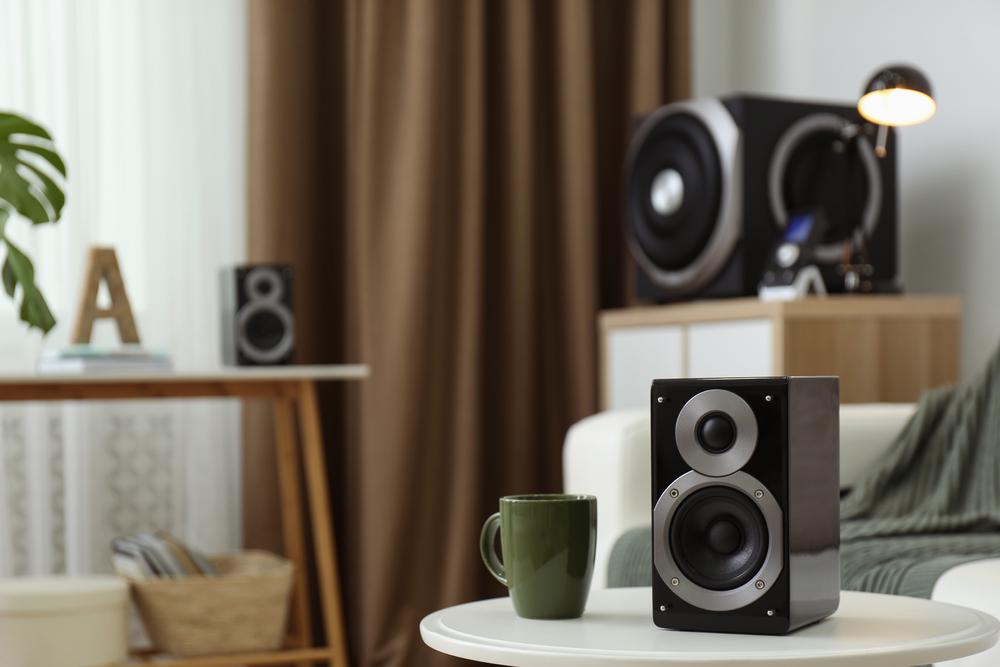
How to Optimize a Multi-Room Audio System with Pre-Wired Speakers
Table of Contents
- What Is a Multi-Room Audio System?
- Why Pre-Wired Speakers Beat Wireless Setups
- Wiring Specifications You Need to Get Right
- Planning Your Pre-Wire: New Builds vs Renovations
- Choosing the Right Speaker for Each Room
- Setting Up Your Multi-Zone Amplifier
- Upgrading the Head End Equipment
- Impedance Matching and Volume Control
- Audio Tuning and EQ Optimization
- Smart Zone Grouping and App Control
- Common Mistakes to Avoid
- Cost Considerations
- Additional Tips for Long-Term Performance
- Final Words
- FAQs
What Is a Multi-Room Audio System?
A multi-room audio system lets you play music, podcasts, or other audio in several rooms at the same time, or split the house into separate zones with different sound. Homeowners can enjoy the same playlist in the kitchen and living room, or keep the bedroom quiet while the patio plays louder music. This setup turns scattered speakers into one connected system that works together across the entire home.
Why Pre-Wired Speakers Beat Wireless Setups
Pre-wiring speakers during construction or renovation gives a cleaner look since no cables are visible once the walls are closed. Wired connections also avoid the compression and latency that sometimes affect wireless audio, so sound stays consistent from room to room.
|
Aspect |
Benefit |
|
Installation Quality |
Clean finish with no visible wires |
|
Sound Quality |
Consistent audio without wireless compression or lag |
|
Reliability |
No dropped connections, battery issues, or network congestion |
|
Long-Term Value |
Easier to upgrade amplifiers without rewiring walls |
Wired systems also remove the risk of network congestion that wireless speakers face when many devices share the same Wi-Fi band.
Read: How to Hook Up Your Home Theater for the Best Audio & Video
Wiring Specifications You Need to Get Right
Getting the wiring right at the start saves time and money later. Speaker wire gauge matters more than most homeowners realize, since thinner wire causes signal loss over longer runs.
- Use a minimum of 16 gauge (16 AWG) speaker wire for every pre-wiring job
- Always home-run each cable straight back to the amplifier instead of splicing wires together
- Use proper speaker cable only, never electrical wire or phone cable
- Include at least 2 Cat6 cables per location for data and smart home integration
- Add at least 1 RG6 Quad Shield coax cable for TV and audio needs
Planning Your Pre-Wire: New Builds vs Renovations
Planning ahead makes a major difference whether you are building new or upgrading an older home.
New Builds
- Plan the wiring routes before construction begins
- Run all cable before walls are closed
- Install speaker brackets during the pre-construction phase
Renovations
- Map wiring routes carefully around existing walls
- Use flexible conduit to protect cables pulled through finished walls
- Expect more creative routing since access is limited
Choosing the Right Speaker for Each Room
Different rooms call for different speaker types based on how the space gets used.
|
Room Type |
Speaker Type |
Why It Works |
|
Living Room |
Floor-standing or bookshelf |
Handles higher power and a larger sound stage |
|
Kitchen |
In-ceiling |
Compact and good for background music |
|
Bedrooms |
In-ceiling or bookshelf |
Works well at lower volume for sleep-friendly sound |
|
Bathrooms |
In-ceiling, water-resistant |
Protects against moisture damage |
|
Outdoor Areas |
Outdoor speakers |
Weather-resistant and built for higher power |
|
Hallways |
In-ceiling |
Keeps sound flowing as you move through the house |
Setting Up Your Multi-Zone Amplifier
A multi-zone amplifier placed in a central spot keeps sound quality even across every connected room. Each zone can run its own audio source, so one room plays music while another stays silent or plays something else entirely. In-ceiling speakers, floor-standing speakers, bookshelf speakers, and outdoor speakers all work with the same wired multi-room audio setup once connected to the amplifier.
Upgrading the Head End Equipment
Most pre-wired homes run speaker wire back to one central hub, often tucked into a basement, closet, or media cabinet. Older all-in-one receivers usually lack modern app features, so swapping that hub matters as much as the wiring itself.
- Avoid legacy "system-in-a-box" receivers that cannot connect to streaming apps
- Connect existing speaker wire to modern multi-zone streaming amplifiers instead
- Look for amplifiers that let you control each room independently through a smartphone app
Want better sound throughout your home? Read our guide to optimizing multi-room audio at home for practical tips and expert advice.
Impedance Matching and Volume Control
Running multiple speaker pairs off one amplifier channel can overheat the equipment if impedance is not managed correctly.
- Install in-wall impedance-matching volume controls so each room can adjust sound without affecting others
- Use a centralized speaker selector with built-in impedance protection when managing several zones at once
- Check amplifier specs against total speaker load before adding more zones to one channel
Audio Tuning and EQ Optimization
In-ceiling and in-wall speakers sometimes sound thin or overly bright because they lack a wooden enclosure that adds natural bass. The good news is most of this can be corrected without replacing hardware.
- Add acoustic back boxes behind speakers if drywall access is open, which improves bass and reduces sound bleeding into nearby rooms
- Use the digital EQ settings inside your amplifier app to soften harsh high frequencies or boost lower tones
- Revisit these advanced settings periodically, since the longtail insights built into modern systems are key to getting full value from pre-wired speakers
Smart Zone Grouping and App Control
Modern systems let you skip physical wall dials entirely by using Wi-Fi and Bluetooth-enabled smart relays. You can group rooms like the kitchen, patio, and living room into one zone during a gathering, then split them apart again for quiet evenings. Most apps also let you customize sound profiles per room, so each space matches its own acoustics and daily use.
Common Mistakes to Avoid
|
Mistake |
Why It Hurts the System |
|
Using wire thinner than 16 AWG |
Causes signal loss and weaker sound |
|
Splicing cable instead of home-running it |
Creates connection points that degrade quality |
|
Leaving too little wire slack |
Makes installation and future repairs harder |
|
Skipping advanced amplifier settings |
Wastes the full potential of pre-wired speakers |
|
Poor wire labeling or loose lacing |
Makes troubleshooting and upgrades more time-consuming |
Cost Considerations
Pricing for a multi-room audio system depends heavily on the number of zones and the quality of equipment chosen.
- Basic 2 to 3 zone systems sit at entry-level pricing for smaller homes
- Full whole-home systems with 8 or more zones move into premium pricing tiers
- Pre-wiring during construction almost always costs less than retrofitting wires into finished walls later
Additional Tips for Long-Term Performance
A few small habits keep the system running smoothly for years.
- Lace wire loosely at each speaker location so cables stay easy to find during future work
- Leave enough slack at each speaker point to work comfortably from a ladder
- Choose compatible devices across the whole ecosystem so every zone communicates without conflicts
- Plan zones based on how rooms actually get used, not just on room count
Also Read: What Size Speaker Wire Is Best for Home Theater Audio?
Final Words
A well-planned multi-room audio system turns a house full of separate speakers into one connected, easy-to-control experience. Getting the wiring, amplifier setup, and tuning right from the start makes a noticeable difference in sound quality and long-term reliability. We work with homeowners every day who want this done right the first time, and our team at RMS Installs is ready to help you with pre-wired multi-room speaker installation. Call us at (470) 456-3108 to get started.
FAQs
What is the 83% rule for speakers?
The 83% rule suggests setting your amplifier or receiver volume no higher than 83% of its maximum output to avoid distortion and protect speaker components from long-term damage.
What is the new technology in speakers?
Newer speaker technology includes AI-driven zone customization, high-resolution audio support across multiple rooms, and smoother integration between wired and wireless components in one connected system.
Do more speakers mean better sound?
Not always. Sound quality depends more on proper placement, correct wiring, and good amplifier tuning than on simply adding more speakers throughout a room or home.
How to increase speaker sound quality?
Use the correct wire gauge, add acoustic back boxes where possible, adjust EQ settings through your amplifier app, and make sure impedance matching is set up correctly for every zone.
Certified partners






Click Here to Fill The Form Online or Call us at:

| Monday | 08:00 AM - 06:00 PM |
| Tuesday | 08:00 AM - 06:00 PM |
| Wednesday | 08:00 AM - 06:00 PM |
| Thursday | 08:00 AM - 06:00 PM |
| Friday | 08:00 AM - 06:00 PM |
| Saturday | 10:00 AM - 05:00 PM |
| Sunday | (Closed) |