
The Best Home Security Systems of 2026: Smart IP, AI Cameras, and Wireless Trends
Table of Contents
- Introduction
- Top Home Security Systems Compared
- Smart Cameras and AI Features
- Wireless System Trends
- ClareOne: A Smart Panel Worth Knowing
- How to Choose the Right System
- Privacy and Data Security
- Why Professional Installation Still Matters in 2026
- Additional Tips Before You Buy
- Conclusion
- FAQs
Introduction
Home security has changed significantly in 2026. Systems today go far beyond recording footage, they detect threats before they escalate, recognize familiar faces, and connect seamlessly with your entire smart home setup. Whether you own a house or rent an apartment, finding the best home security system means understanding what features genuinely matter and what fits your day-to-day life.
This guide covers the top system types, key technologies, and the importance of security system installation in Atlanta to help you make a confident decision.
Top Home Security Systems Compared
In 2026, home security systems generally fall into a few distinct categories based on how they work and who they serve best.
|
System Type |
Best For |
Key Strength |
|
Full-service professional |
Homeowners wanting reliability |
24/7 monitoring, professional installation |
|
DIY with optional monitoring |
Renters and budget buyers |
Flexible setup, no long-term contracts |
|
Smart home integrated |
Tech-savvy homeowners |
Automated lights, locks, and cameras |
|
Budget DIY kit |
Apartment dwellers |
Affordable, easy to install and remove |
|
Privacy-focused local storage |
Privacy-conscious users |
Footage stored at home, not in the cloud |
Each category serves a different type of household. A renter in an apartment needs something portable and contract-free. A homeowner building a long-term smart home setup benefits more from a fully integrated, professionally monitored system with advanced automation.
Smart Cameras and AI Features

Cameras in 2026 have moved well beyond basic motion detection. Most systems now offer 2K to 4K resolution with color night vision, and the AI built into these cameras is genuinely useful in everyday situations.
What modern AI detection can do:
- Tell the difference between a person, a vehicle, a pet, or a package
- Recognize familiar faces and alert you only when a stranger is detected
- Learn your household's daily patterns and cut down on unnecessary notifications
- Trigger lights, locks, or sirens automatically based on what the camera identifies
- Issue two-way audio warnings or activate sirens to deter intruders in real time
Some cameras process this data directly on the device rather than sending everything to the cloud. This approach, called edge processing, reduces lag, lowers bandwidth use, and gives users more control over their data.
People-only alerts, package detection, and vehicle-detection notifications have become standard expectations in 2026, reflecting how homeowners actually use these cameras day to day.
Wireless System Trends
Wireless security systems now dominate the residential market. They require no wall drilling, work well in rental properties, and can expand easily as your needs grow.
Key trends shaping wireless systems in 2026:
- Solar and battery-powered sensors: Door sensors, motion detectors, and outdoor cameras run on batteries or solar panels, making installation completely wire-free.
- Cellular backup: Higher-end systems combine Wi-Fi for cameras with a cellular backup for the alarm panel. If the internet goes down, the system still contacts emergency services.
- App-based control: Every major system includes a smartphone app for live viewing, arming and disarming, and managing alerts. Most now include two-factor authentication and end-to-end encryption.
- No long-term contracts: Several providers now offer professional monitoring without locking buyers into multi-year commitments, which appeals strongly to renters and privacy-minded users.
ClareOne: A Smart Panel Worth Knowing
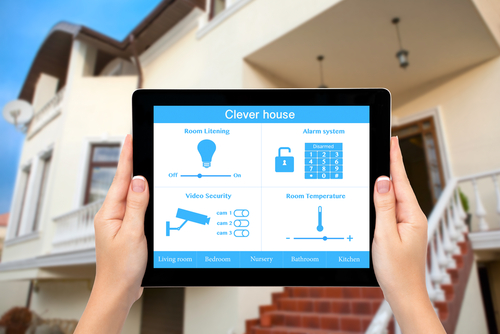
For homeowners who want a single, unified control point for security and smart home devices, ClareOne is worth a close look. It is an all-in-one touchscreen security panel that combines traditional alarm functions with smart home control in one interface.
What sets ClareOne apart:
- Controls security sensors, cameras, locks, lights, and thermostats from one panel
- Built-in Z-Wave and Wi-Fi support for broad device compatibility
- Works with professional monitoring services without requiring a proprietary ecosystem
- Dealer-installed, which means setup is clean and properly configured from day one
- Supports remote access through a dedicated app for arming, disarming, and device control
ClareOne fits particularly well in homes where the owner wants a polished, integrated experience without juggling multiple apps or hubs. It bridges the gap between a basic alarm panel and a full smart home controller, making it a strong choice for homeowners investing in a long-term setup.
How to Choose the Right System
Picking the right system comes down to four main factors:
1. Monitoring preference
Professional monitoring means a team contacts emergency services on your behalf around the clock. Self-monitoring means you receive app alerts and decide when to call for help. Professional plans typically cost more per month but offer peace of mind, especially when you travel.
2. Smart home ecosystem
Match your security system to the voice assistant and smart devices you already use. Choosing a compatible system avoids the frustration of devices that do not communicate with each other.
3. Renting vs. owning
Renters generally do better with wireless, no-contract systems that are simple to remove and reinstall. Homeowners investing in a long-term setup often find fully integrated, professionally installed systems like ClareOne worth the upfront cost.
4. Budget
|
Tier |
Typical Cost |
What You Get |
|
Entry-level |
Under $200-$300 |
Basic sensors, one or two cameras, app alerts |
|
Mid-range |
$300-$600 |
Multiple cameras, wider sensor coverage, AI alerts |
|
Premium |
$600 and above |
Full smart home integration, 4K cameras, professional monitoring |
Privacy and Data Security
Data privacy is a genuine concern with any connected security system. Here is what a responsible system should offer:
- Strong encryption: Look for AES-256 encryption for data in transit and RSA-2048 for key exchange. These are current industry standards.
- Local storage options: Some systems store footage on a home hub or SD card rather than remote servers, keeping your video data entirely within your home.
- Cloud storage with controls: Cloud-based systems are convenient, but check whether the provider offers data retention limits and auto-delete options.
- Router security: Wireless cameras are only as secure as your home network. Using WPA3 encryption on your router reduces vulnerability considerably.
State-level privacy regulations are pushing manufacturers toward more on-device AI processing and stricter data access controls, which benefits consumers by reducing how much personal data leaves the home.
Why Professional Installation Still Matters in 2026

Many homeowners assume that because modern security systems are designed for DIY setup, professional installation is no longer necessary. That assumption can lead to gaps in coverage that only become obvious after an incident.
A professionally installed system is configured based on an actual assessment of your home. An installer identifies blind spots, weak entry points, and the best camera angles for your specific layout. That kind of evaluation is difficult to replicate by following a generic setup guide.
Where professional installation makes a real difference:
- Sensor placement: Incorrectly placed door and window sensors can miss triggers entirely. A professional ensures every entry point is covered based on how the door or window actually opens and moves.
- Camera positioning: Mounting height, angle, and field of view all affect how useful footage is. Poor positioning can leave large areas unmonitored despite having cameras installed.
- Panel and hub configuration: Smart panels like ClareOne require proper integration with connected devices. A misconfigured panel can create communication failures between sensors, cameras, and monitoring services.
- Network setup: Security cameras and panels rely on a stable, properly segmented network. Professionals can identify router placement issues and interference problems that affect system reliability.
- Testing and verification: After installation, every sensor, camera, and communication path should be tested. A professional confirms the system works as intended before leaving the property.
DIY systems have their place, particularly for renters or those on a tight budget. But for homeowners building a long-term security setup, professional installation removes the guesswork and ensures the system performs the way it was designed to.
Additional Tips Before You Buy
A few practical things worth considering before committing to a system:
- Test the app first. A confusing interface makes managing your system frustrating on a daily basis.
- Check the camera field of view. A wider angle covers more area with fewer cameras, which reduces total cost.
- Count the sensors in starter kits. Some entry-level kits include only one or two sensors, which may not be enough for a larger home.
- Confirm cellular backup is included. Wi-Fi-only systems stop working during internet outages. Cellular backup keeps the alarm functional when it matters most.
- Review monitoring fees separately from equipment costs. Monthly fees range from around $10 for basic self-monitoring to $50 or more for full professional monitoring with added features.
From camera placement to storage options, our wireless security camera buying guide explains the essentials
Conclusion
The best home security systems in 2026 combine smart cameras, wireless flexibility, and AI-powered detection in ways that were not possible just a few years ago. Options like ClareOne show how far integrated smart security panels have come, offering homeowners a single point of control for their entire home. The right system depends on your living situation, budget, smart home setup, and how much involvement you want in managing alerts.
Not sure what TV setup is right for your home? RMS Installs is here to help you choose options that fit your space and lifestyle perfectly. Call us at (470) 456-3108 anytime for guidance.
FAQs
What is the best type of home security system in 2026?
The best type depends on your situation. Full-service professionally monitored systems suit homeowners who want reliability and hands-off management. DIY wireless systems work well for renters or those on a tighter budget.
What is ClareOne and is it worth it?
ClareOne is an all-in-one touchscreen security panel that controls alarms, cameras, locks, lights, and thermostats from a single interface. It is a strong choice for homeowners who want a clean, integrated setup without managing multiple apps or hubs.
Do I need professional monitoring or can I self-monitor?
Both are valid options. Professional monitoring means someone contacts emergency services on your behalf. Self-monitoring means you handle alerts through an app and decide when to call for help.
Are wireless security systems easy to hack?
They can be vulnerable if your home Wi-Fi is not secured properly. Using WPA3 encryption on your router and choosing a system with end-to-end encryption significantly lowers that risk.
What AI features should I look for in a security camera?
Focus on person detection, package and vehicle alerts, facial recognition, and behavioral learning. These features cut down on false alarms and make notifications more relevant.
Is cloud storage safe for security footage?
Reputable systems use strong encryption and offer data retention controls. If cloud storage concerns you, look for systems that support local storage on a home hub or SD card.
How much does a good home security system cost in 2026?
Entry-level kits start around $200 to $300. Mid-range setups with multiple cameras typically run $300 to $600. Premium systems with full smart home integration and professional monitoring can go well above $600.
Which type of system works best for renters?
Wireless, no-contract DIY systems are the best fit for renters. They install without permanent changes and can be removed and reinstalled easily when moving.
What is edge processing and why does it matter?
Edge processing means the camera analyzes video data on the device itself rather than sending it to a remote server. This reduces lag, lowers bandwidth use, and keeps more of your footage data private within your home.
Certified partners






Click Here to Fill The Form Online or Call us at:

Business Hours
| Monday | 08:00 AM - 06:00 PM |
| Tuesday | 08:00 AM - 06:00 PM |
| Wednesday | 08:00 AM - 06:00 PM |
| Thursday | 08:00 AM - 06:00 PM |
| Friday | 08:00 AM - 06:00 PM |
| Saturday | 10:00 AM - 05:00 PM |
| Sunday | (Closed) |