
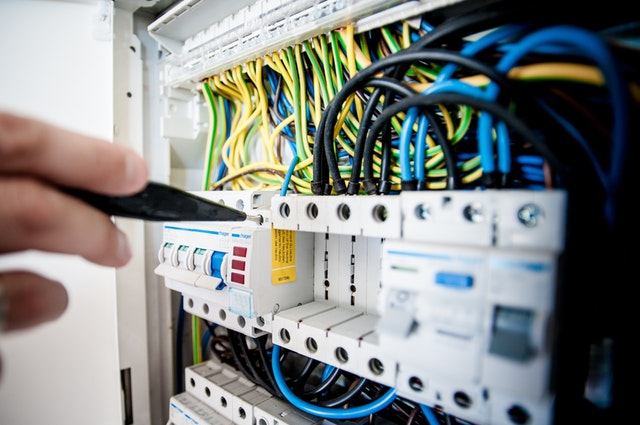
Ways Network Installation Service Can Improve Your Lifestyle
Table of Contents
- Whole-Home Connectivity Without Dead Zones
- Stronger Productivity for Remote Work and Learning
- Reliable Smart Home Integration
- Better Network Security
- Improved Entertainment and Streaming
- Cost and Energy Savings Over Time
- Future-Proof Infrastructure
- Additional Considerations
- Conclusion
- FAQs
A slow or unreliable internet connection affects more than just browsing speed. It disrupts work, weakens home security, and limits how well your smart devices function. A professional network installation addresses all of these problems at the root level, giving you a stable and secure setup that supports your daily life.
1. Whole-Home Connectivity Without Dead Zones
Poor signal in certain rooms is one of the most common complaints homeowners have about their Wi-Fi. Basements, back bedrooms, garages, and outdoor spaces tend to suffer the most.
Professional installers conduct a site survey before setting anything up. They map weak signal areas and position access points strategically using mesh Wi-Fi systems and wired backhaul. The result is consistent coverage in every corner of your home.
What this means practically:
- Lag-free 4K and 8K streaming on multiple TVs at once
- Stable video calls even when several devices are connected
- Wired Ethernet drops for desktops, consoles, and media players
- No more moving around the house to find a better signal
Read: The Impact of 5G on Home Networking: Get Expert Solutions
2. Stronger Productivity for Remote Work and Learning
Video calls, cloud uploads, and large file transfers all demand a stable connection. A dropped connection during a client meeting or online exam is a real problem that costs time and credibility.
Professionals configure Quality of Service (QoS) settings that prioritize bandwidth for video and voice traffic. This means your work call stays clear even when someone else in the house is streaming or downloading at the same time.
|
Task |
Without Professional Setup |
With Professional Setup |
|
Video conferencing |
Frequent drops and lag |
Stable and uninterrupted |
|
Large file uploads |
Slow, takes hours |
Fast, consistent speeds |
|
Cloud app performance |
Congestion during peak hours |
Optimized with QoS settings |
|
Multiple users at once |
Slowdowns for everyone |
Traffic managed efficiently |
3. Reliable Smart Home Integration
Smart devices like security cameras, thermostats, smart locks, and voice assistants all depend on a solid network to function properly. Without one, they lose connection, respond slowly, or fail to communicate with each other.
A professional network installation service uses hybrid wired-wireless setups to create a stable backbone for IoT devices. Technicians also use VLANs to segment smart devices onto their own network, which prevents them from interfering with your computers and phones.
Benefits of proper smart home network setup:
- Real-time control of cameras, locks, and lights from anywhere
- Multi-room audio that plays without skipping or cutting out
- Home theater setups that get dedicated bandwidth
- Easy addition of new devices without performance drops
4. Better Network Security
Home cyber threats have increased by around 15% each year. An improperly configured router is often the easiest entry point for attackers.
Professional network installers build in multiple layers of protection from day one, rather than leaving security as an afterthought.
|
Security Feature |
Purpose |
|
WPA3 Encryption |
Secures all wireless traffic |
|
Firewall Configuration |
Blocks unauthorized access attempts |
|
Guest Networks |
Keeps visitors separate from your main devices |
|
VLAN Segmentation |
Isolates IoT devices from personal computers |
|
Parental Controls |
Filters content and sets access schedules for children |
With these measures in place, your personal data and connected devices stay protected whether you are home or away.
5. Improved Entertainment and Streaming
Buffering during a movie or lag during an online game usually means your network cannot handle the load. A professionally installed network is built to manage high bandwidth demands across multiple devices at the same time.
What a well-built network supports:
- 8K streaming and multi-room playback without buffering
- Online gaming with low and consistent ping
- Multiple family members using different screens simultaneously
- VR applications and large media downloads running in the background
Dedicated Ethernet connections to media players and gaming consoles take pressure off the wireless network, giving each device what it needs without affecting others.
6. Cost and Energy Savings Over Time
The upfront cost of a professional network installation service pays off over time in several ways.
- Energy savings: Efficient hardware configurations can reduce energy use by around 20%, according to US Department of Energy data.
- Fewer repair calls: A properly installed network requires less troubleshooting and maintenance over its lifetime.
- No costly rewiring: Scalable designs like CAT6A cabling accommodate future upgrades without starting from scratch.
- Less downtime: For home-based workers, fewer connectivity issues directly translates to more productive hours.
DIY setups that fail often end up costing more in the long run once you factor in replacement hardware, technician callouts, and lost time.
7. Future-Proof Infrastructure
Technology changes quickly. A network that works well today may struggle in two or three years as devices become more demanding and streaming standards improve.
Professional installers use CAT6A cabling and configure networks to support Wi-Fi 6E and Wi-Fi 7 standards, which handle far more devices and faster speeds than older setups.
What future-proofing includes:
- Cabling that supports 10 Gbps speeds through 2030 and beyond
- Compatibility with emerging tech like AR, VR, and advanced smart home systems
- Power over Ethernet (PoE) support for cameras and access points
- Easy room expansions without rewiring the whole system
Additional Considerations
Before scheduling a professional network installation service, keep a few things in mind:
- Share your usage habits: Tell the installer how many devices you use, where you work from home, and which rooms need the strongest signal. This helps them design the right layout.
- Ask about ongoing support: Many professional services offer maintenance plans that keep your network running well after installation.
- Plan for growth: If you expect to add more smart devices or expand your space, mention that upfront so the design accounts for it.
- Wired where it matters: For devices that stay in one place, like a desktop or a smart TV, a wired connection is always faster and more reliable than Wi-Fi.
Need better connectivity throughout your home? Our home networking installation guide can help
Conclusion
A reliable network is not a luxury. It affects how you work, how your family learns, how your home stays secure, and how you relax at the end of the day. A professional network installation service removes the guesswork and gives you infrastructure that actually performs.
We work with homeowners and small businesses every day, and we know that no two setups are the same. RMS Installs design networks around your specific space, devices, and goals. If you are ready to stop troubleshooting and start enjoying a connection that just works, call us at (470) 456-3108.
FAQs
What is included in a professional network installation service?
A typical installation includes a site survey, structured cabling, router and switch configuration, access point placement, guest network setup, and security configuration. The exact scope depends on your home size and usage needs.
How is a professional network installation different from setting up my own router?
A professional installation is designed around your specific space and usage. Technicians use proper cabling, configure QoS and security settings, and test coverage throughout your home. A DIY router setup rarely accounts for dead zones, device congestion, or security vulnerabilities.
How long does a professional network installation take?
Most residential installations are completed in a single day. Larger homes or more complex setups with extensive cabling may take two days. Your installer will give you a time estimate after the initial site survey.
Will a professional network work with my existing smart home devices?
Yes. Professional installers configure your network to support IoT devices alongside computers, phones, and streaming devices. They can also segment your smart devices onto a separate network for better performance and security.
What kind of cabling is used in professional installations?
CAT6A is the standard for most professional residential installs. It supports speeds up to 10 Gbps and is compatible with Wi-Fi 6E and Wi-Fi 7 routers, making it a solid choice for the next several years.
How much does a professional network installation service cost?
Costs vary based on home size, cabling length, and equipment. Most residential installations range from $500 to $2,500 depending on scope. The investment typically pays for itself through fewer repair calls, better productivity, and lower energy use over time.
Can a professional network installation help with working from home?
Yes. Professionals configure QoS settings that prioritize video and voice traffic, so work calls stay clear even when other household members are streaming or gaming at the same time.
Is the network secure after a professional installation?
Professional installs include WPA3 encryption, firewall setup, guest networks, and VLAN segmentation for IoT devices. These layers of security significantly reduce the risk of unauthorized access.
Table of Contents
- Whole-Home Connectivity Without Dead Zones
- Stronger Productivity for Remote Work and Learning
- Reliable Smart Home Integration
- Better Network Security
- Improved Entertainment and Streaming
- Cost and Energy Savings Over Time
- Future-Proof Infrastructure
- Additional Considerations
- Conclusion
- FAQs
A slow or unreliable internet connection affects more than just browsing speed. It disrupts work, weakens home security, and limits how well your smart devices function. A professional network installation addresses all of these problems at the root level, giving you a stable and secure setup that supports your daily life.
1. Whole-Home Connectivity Without Dead Zones
Poor signal in certain rooms is one of the most common complaints homeowners have about their Wi-Fi. Basements, back bedrooms, garages, and outdoor spaces tend to suffer the most.
Professional installers conduct a site survey before setting anything up. They map weak signal areas and position access points strategically using mesh Wi-Fi systems and wired backhaul. The result is consistent coverage in every corner of your home.
What this means practically:
- Lag-free 4K and 8K streaming on multiple TVs at once
- Stable video calls even when several devices are connected
- Wired Ethernet drops for desktops, consoles, and media players
- No more moving around the house to find a better signal
Read: The Impact of 5G on Home Networking: Get Expert Solutions
2. Stronger Productivity for Remote Work and Learning
Video calls, cloud uploads, and large file transfers all demand a stable connection. A dropped connection during a client meeting or online exam is a real problem that costs time and credibility.
Professionals configure Quality of Service (QoS) settings that prioritize bandwidth for video and voice traffic. This means your work call stays clear even when someone else in the house is streaming or downloading at the same time.
|
Task |
Without Professional Setup |
With Professional Setup |
|
Video conferencing |
Frequent drops and lag |
Stable and uninterrupted |
|
Large file uploads |
Slow, takes hours |
Fast, consistent speeds |
|
Cloud app performance |
Congestion during peak hours |
Optimized with QoS settings |
|
Multiple users at once |
Slowdowns for everyone |
Traffic managed efficiently |
3. Reliable Smart Home Integration
Smart devices like security cameras, thermostats, smart locks, and voice assistants all depend on a solid network to function properly. Without one, they lose connection, respond slowly, or fail to communicate with each other.
A professional network installation service uses hybrid wired-wireless setups to create a stable backbone for IoT devices. Technicians also use VLANs to segment smart devices onto their own network, which prevents them from interfering with your computers and phones.
Benefits of proper smart home network setup:
- Real-time control of cameras, locks, and lights from anywhere
- Multi-room audio that plays without skipping or cutting out
- Home theater setups that get dedicated bandwidth
- Easy addition of new devices without performance drops
4. Better Network Security
Home cyber threats have increased by around 15% each year. An improperly configured router is often the easiest entry point for attackers.
Professional network installers build in multiple layers of protection from day one, rather than leaving security as an afterthought.
|
Security Feature |
Purpose |
|
WPA3 Encryption |
Secures all wireless traffic |
|
Firewall Configuration |
Blocks unauthorized access attempts |
|
Guest Networks |
Keeps visitors separate from your main devices |
|
VLAN Segmentation |
Isolates IoT devices from personal computers |
|
Parental Controls |
Filters content and sets access schedules for children |
With these measures in place, your personal data and connected devices stay protected whether you are home or away.
5. Improved Entertainment and Streaming
Buffering during a movie or lag during an online game usually means your network cannot handle the load. A professionally installed network is built to manage high bandwidth demands across multiple devices at the same time.
What a well-built network supports:
- 8K streaming and multi-room playback without buffering
- Online gaming with low and consistent ping
- Multiple family members using different screens simultaneously
- VR applications and large media downloads running in the background
Dedicated Ethernet connections to media players and gaming consoles take pressure off the wireless network, giving each device what it needs without affecting others.
6. Cost and Energy Savings Over Time
The upfront cost of a professional network installation service pays off over time in several ways.
- Energy savings: Efficient hardware configurations can reduce energy use by around 20%, according to US Department of Energy data.
- Fewer repair calls: A properly installed network requires less troubleshooting and maintenance over its lifetime.
- No costly rewiring: Scalable designs like CAT6A cabling accommodate future upgrades without starting from scratch.
- Less downtime: For home-based workers, fewer connectivity issues directly translates to more productive hours.
DIY setups that fail often end up costing more in the long run once you factor in replacement hardware, technician callouts, and lost time.
7. Future-Proof Infrastructure
Technology changes quickly. A network that works well today may struggle in two or three years as devices become more demanding and streaming standards improve.
Professional installers use CAT6A cabling and configure networks to support Wi-Fi 6E and Wi-Fi 7 standards, which handle far more devices and faster speeds than older setups.
What future-proofing includes:
- Cabling that supports 10 Gbps speeds through 2030 and beyond
- Compatibility with emerging tech like AR, VR, and advanced smart home systems
- Power over Ethernet (PoE) support for cameras and access points
- Easy room expansions without rewiring the whole system
Additional Considerations
Before scheduling a professional network installation service, keep a few things in mind:
- Share your usage habits: Tell the installer how many devices you use, where you work from home, and which rooms need the strongest signal. This helps them design the right layout.
- Ask about ongoing support: Many professional services offer maintenance plans that keep your network running well after installation.
- Plan for growth: If you expect to add more smart devices or expand your space, mention that upfront so the design accounts for it.
- Wired where it matters: For devices that stay in one place, like a desktop or a smart TV, a wired connection is always faster and more reliable than Wi-Fi.
Need better connectivity throughout your home? Our home networking installation guide can help
Conclusion
A reliable network is not a luxury. It affects how you work, how your family learns, how your home stays secure, and how you relax at the end of the day. A professional network installation service removes the guesswork and gives you infrastructure that actually performs.
We work with homeowners and small businesses every day, and we know that no two setups are the same. RMS Installs design networks around your specific space, devices, and goals. If you are ready to stop troubleshooting and start enjoying a connection that just works, call us at (470) 456-3108.
FAQs
What is included in a professional network installation service?
A typical installation includes a site survey, structured cabling, router and switch configuration, access point placement, guest network setup, and security configuration. The exact scope depends on your home size and usage needs.
How is a professional network installation different from setting up my own router?
A professional installation is designed around your specific space and usage. Technicians use proper cabling, configure QoS and security settings, and test coverage throughout your home. A DIY router setup rarely accounts for dead zones, device congestion, or security vulnerabilities.
How long does a professional network installation take?
Most residential installations are completed in a single day. Larger homes or more complex setups with extensive cabling may take two days. Your installer will give you a time estimate after the initial site survey.
Will a professional network work with my existing smart home devices?
Yes. Professional installers configure your network to support IoT devices alongside computers, phones, and streaming devices. They can also segment your smart devices onto a separate network for better performance and security.
What kind of cabling is used in professional installations?
CAT6A is the standard for most professional residential installs. It supports speeds up to 10 Gbps and is compatible with Wi-Fi 6E and Wi-Fi 7 routers, making it a solid choice for the next several years.
How much does a professional network installation service cost?
Costs vary based on home size, cabling length, and equipment. Most residential installations range from $500 to $2,500 depending on scope. The investment typically pays for itself through fewer repair calls, better productivity, and lower energy use over time.
Can a professional network installation help with working from home?
Yes. Professionals configure QoS settings that prioritize video and voice traffic, so work calls stay clear even when other household members are streaming or gaming at the same time.
Is the network secure after a professional installation?
Professional installs include WPA3 encryption, firewall setup, guest networks, and VLAN segmentation for IoT devices. These layers of security significantly reduce the risk of unauthorized access.
Certified partners






Click Here to Fill The Form Online or Call us at:

Business Hours
| Monday | 08:00 AM - 06:00 PM |
| Tuesday | 08:00 AM - 06:00 PM |
| Wednesday | 08:00 AM - 06:00 PM |
| Thursday | 08:00 AM - 06:00 PM |
| Friday | 08:00 AM - 06:00 PM |
| Saturday | 10:00 AM - 05:00 PM |
| Sunday | (Closed) |