
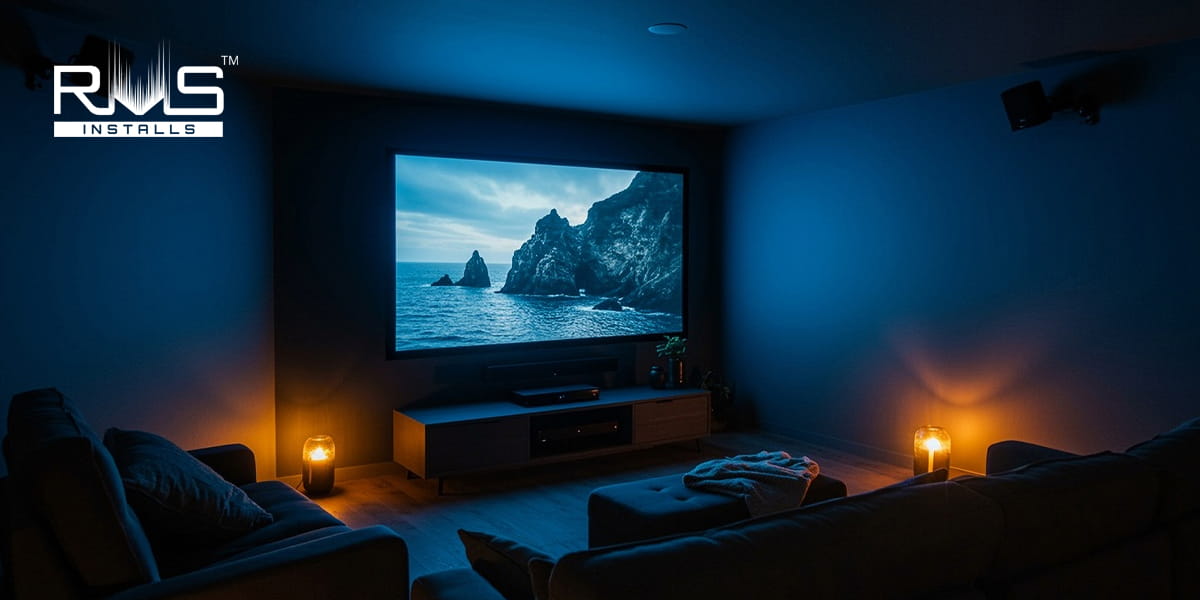
How to Set Up Surround Sound Speakers in a Home Theater
Surround sound systems create a more engaging experience by spreading sound across a room, mimicking real-life audio environments like those in movie theaters. This setup boosts enjoyment for movies, games, and music, especially when you know how to set up home theater speakers for proper balance and clarity. Following the right installation guidelines helps prevent distortion and ensures sound reaches every part of the room evenly. With that foundation, we can move into the details of what surround sound really is and how to make it work in your space.
What Surround Sound Means
Surround sound refers to a system that uses five or more speakers along with a subwoofer to wrap listeners in sound from all sides. This goes beyond the two channels of regular stereo audio.
Common setups include a 5.1 system, which has left and right front speakers, a center one, two side speakers, and the subwoofer for deep bass. A 7.1 version adds two more speakers at the back. Audio tracks come with built-in channels that a receiver breaks down and sends to the right speakers. This creates effects like hearing noises from behind or above you.
Balancing audio across different rooms requires thoughtful planning and configuration. Read our full guide on multi-zone sound systems and whole home audio to maximize clarity and consistency throughout your home.
The Value of Surround Sound
This kind of audio setup matters because it pulls you into the content with lifelike placement of sounds in a three-dimensional space. You feel part of the scene, whether it's quiet talks or big blasts. It sharpens details, expands the range of volumes, and pinpoints directions better than basic setups.
For films, video games, and tunes, it lifts the whole experience to match what you get in a professional theater. The emotional pull and sense of space make home viewing more exciting and true to life.
How Surround Sound Speakers Work
A receiver handles the multi-channel signals from sources like disc players or online streams. It decodes the audio and routes parts to each speaker. Front speakers manage main talks and melodies. Side ones build atmosphere and movement.
The subwoofer takes care of low rumbles. Setup involves tuning levels, measuring distances, and syncing delays so every sound hits your ears at the right moment from your main spot.
Key Speaker Positions
Getting speakers in the right spots is crucial for the best results. Base everything on your primary listening position, often called the sweet spot. Aim for angles from the center of your screen.
For the front left and right speakers, set them at ear height and about 22 to 30 degrees from your seat. Keep them the same distance apart and point them slightly toward you. The center speaker goes right under or over the screen at ear level to keep voices clear and tied to the action.
Place the subwoofer in a corner or up front for smooth bass spread. Test by playing low tones and shifting it until the sound feels strongest where you sit.
In a 5.1 setup, side speakers mount two to four feet above ear level on walls at 90 to 110 degrees from your position, or just behind. Angle them down to blend sounds without drawing attention to themselves.
For 7.1, keep side speakers in that 90 to 110 degree range. Add rear ones at 135 to 150 degrees behind you, at the same height, and point them inward. Clear any blocks and match the spacing to your front setup.
Here's a table summarizing ideal speaker angles and heights:
|
Speaker Type |
Angle from Listening Spot |
Height Recommendation |
|
Front Left/Right |
22-30 degrees |
Ear level |
|
Center |
0 degrees (direct) |
Ear level |
|
Side Surrounds |
90-110 degrees |
2-4 feet above ears |
|
Rear Surrounds |
135-150 degrees |
2-4 feet above ears |
|
Subwoofer |
N/A (flexible) |
Floor level, in corner |
Preparing Your Room
Pick a rectangular space at least 10 by 12 feet, free from outside noise. Look for spots with easy access to power and wiring paths. Soundproof walls if you can to cut echoes. Add outlets where needed. Pre-run wires through walls or ceilings for a clean look. Secure mounts for wall speakers and use stands for others on the floor.
Wiring and Connections
Use wire that's 14 to 16 gauge for runs under 50 feet. Strip the ends and connect with plugs or directly, always matching positive and negative sides. Route from each speaker to the receiver's matching ports: left and right fronts to their spots, center to its own, sides to surround left and right. In a larger setup, hook up back ones too. Link the subwoofer with its special cable to the low-frequency output.
Connect your display with a high-quality cable from the receiver's output to the input on your screen. Plug in other devices like players or consoles into the receiver first.
Step-by-Step Guide on How To Set Up Home Theater Speakers
- Mount your speakers firmly. Use walls for sides and center, stands or floor for fronts.
- Run and connect all wires, checking polarity.
- Hook up the subwoofer and main display cable.
- Attach source devices to the receiver.
- Turn everything on, pick a source, and start calibration.
For auto setup, place the mic at ear height in your main seat and follow prompts. It might check multiple positions.
If doing it by hand, measure distances from each speaker to your spot and enter them. Play test sounds to balance volumes, tweaking from minus 10 to plus 10 decibels. Set the crossover point around 80 hertz.
If your home already has speaker wiring installed, learning how to fine-tune sound across different rooms can make a big difference. Read our guide on optimizing multi-room audio with pre-wired speakers for practical setup insights.
Fine-Tuning for Best Performance
After basics, input those distances to fix timing. Make all channels hit the same loudness. For the sub, try phase at zero or 180 degrees for crisp lows. Point front and side speakers inward by about 30 degrees. Raise sides two feet above ears.
Test with various content like tones or scenes. Add rugs or panels to handle room bounces. Follow local codes for grounded power and protection against surges.
This table outlines common calibration settings:
|
Setting Type |
Typical Value |
Purpose |
|
Distance Input |
Measured in feet |
Syncs sound arrival |
|
Volume Levels |
-10 to +10 dB |
Balances channels |
|
Crossover |
80 Hz |
Directs lows to sub |
|
Phase for Sub |
0 or 180 degrees |
Tightens bass response |
|
Toe-In Angle |
30 degrees |
Focuses sound direction |
Quick Tips for Setting Up Home Theater Speakers
Form an even triangle with front speakers and your seat, with high parts at ear level. Anchor the center to the screen and angle it your way. Place sides just behind and above for wraparound feel. For bigger systems, add backs straight behind at similar height.
Experiment with the sub starting near the front or in corners, away from walls by half a foot to a foot. Wire carefully to labeled spots. Use special cables for sub and main connections. Power up, set sub volume midway, and run auto or manual tweaks.
For a complete breakdown of home theater setup, read our guide. It covers everything from room prep to final calibration.
Frequently Asked Questions
What speaker layout should I use for a home theater system?
Where should I place my home theater surround speakers?
Do I need a subwoofer in a home theater setup?
Should my home theater speakers be at ear level?
Can I mix different speaker brands in my system?
Wrapping It Up
Setting up surround sound turns your home theater into a captivating space. With careful placement and tuning, you get that theater-like immersion right at home. In the United States, where home theaters are popular, following these steps ensures safety and top performance. If you need expert help, let RMS Installs handle the setup for you.
Our experienced team ensures your speakers are placed correctly, calibrated accurately, and optimized for your room layout. We focus on clean installations, reliable performance, and clear guidance so you get the best possible audio experience. Whether you’re building a new home theater or improving an existing one, we’re here to help. Contact us today at 470-456-3108 to schedule a consultation, or visit our website to learn more about our home theater installation services.
Certified partners






Click Here to Fill The Form Online or Call us at:

| Monday | 08:00 AM - 06:00 PM |
| Tuesday | 08:00 AM - 06:00 PM |
| Wednesday | 08:00 AM - 06:00 PM |
| Thursday | 08:00 AM - 06:00 PM |
| Friday | 08:00 AM - 06:00 PM |
| Saturday | 10:00 AM - 05:00 PM |
| Sunday | (Closed) |